
 EN
 Italiano
 Français
 Deutsch
 Español
No products in the cart.
0,00€
Compralo per primo!
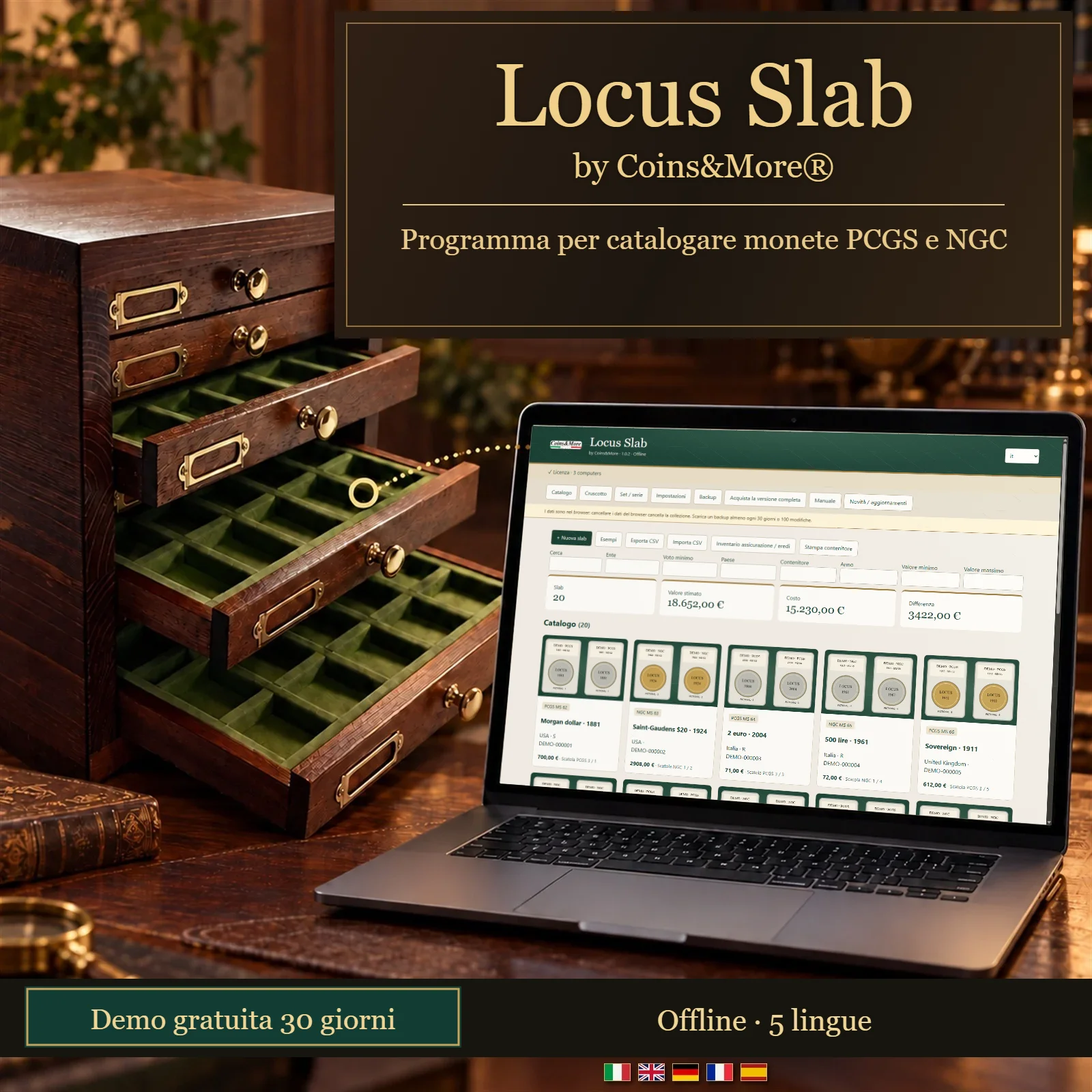
C&M Locus Slab certified coin inventory software brings certificate details, grades and storage locations together on your computer, helping you find each slab in its box and review records before your next purchase.
- ✓ Catalogue graded coins with their grading service, certificate number and recorded grade for each example.
- ✓ Organise your slab boxes by container and slot, making stored coins easier to find.
- ✓ Keep front and back photographs together in the records for your certified coin collection.
- ✓ Open certificate verification on the grading service’s website to consult the recorded reference directly.
- ✓ Save a complete slab collection backup to transfer records and photographs to another computer.
€0.00: free trial for 30 days from first opening, up to 25 slabs. Full version: €39.90 with 12 months of updates or €69.00 lifetime; up to 3 computers belonging to the same purchaser.
Digital product: no physical shipping
GRATIS 🗂️ Catalogue your collection
Download the Collection Inventory Sheet: a printable PDF to record every item, its condition and estimated value.
🔒 Log in or register to download — it's freeFind your PCGS NGC slabs even offline
Is there a PCGS NGC collection tracker that works offline? Yes: Locus Slab 1.0.4 by Coins&More records certificates, grades, photos and containers on Windows and Mac. €0.00: free trial for 30 days from first opening, up to 25 slabs. Full version: €39.90 with 12 months of updates or €69.00 lifetime; up to 3 computers belonging to the same purchaser.
Bring order to your growing collection
Before Sunday’s coin fair, choose a drawer or box and check that recorded locations match your collection. Update the record when you lend or sell a piece, so you know what belongs where when you return.
Find your first piece in five steps
- Open the demo with fictional examples or select “New slab”. Copy Entity, Certificate, Prefix, Grade and Designations from the label.
- Add Denomination, Year, Mint and Front and Back photos. Enter Container and Slot / number, for example “Box A” and “7”.
- Enter Cost (€), Value (€), Value date and Source. Updating the value retains its previous history: these are figures you enter yourself.
- Filter by service or container to organise slab boxes. In Sets / series define targets by denomination, year and mint; use the same Series name in your records.
- Download Backup and check the complete backup file. For a readable copy use Inventory and browser PDF printing; Certificate verification opens the external service and requires Internet.
Keep certificates, photos and locations together
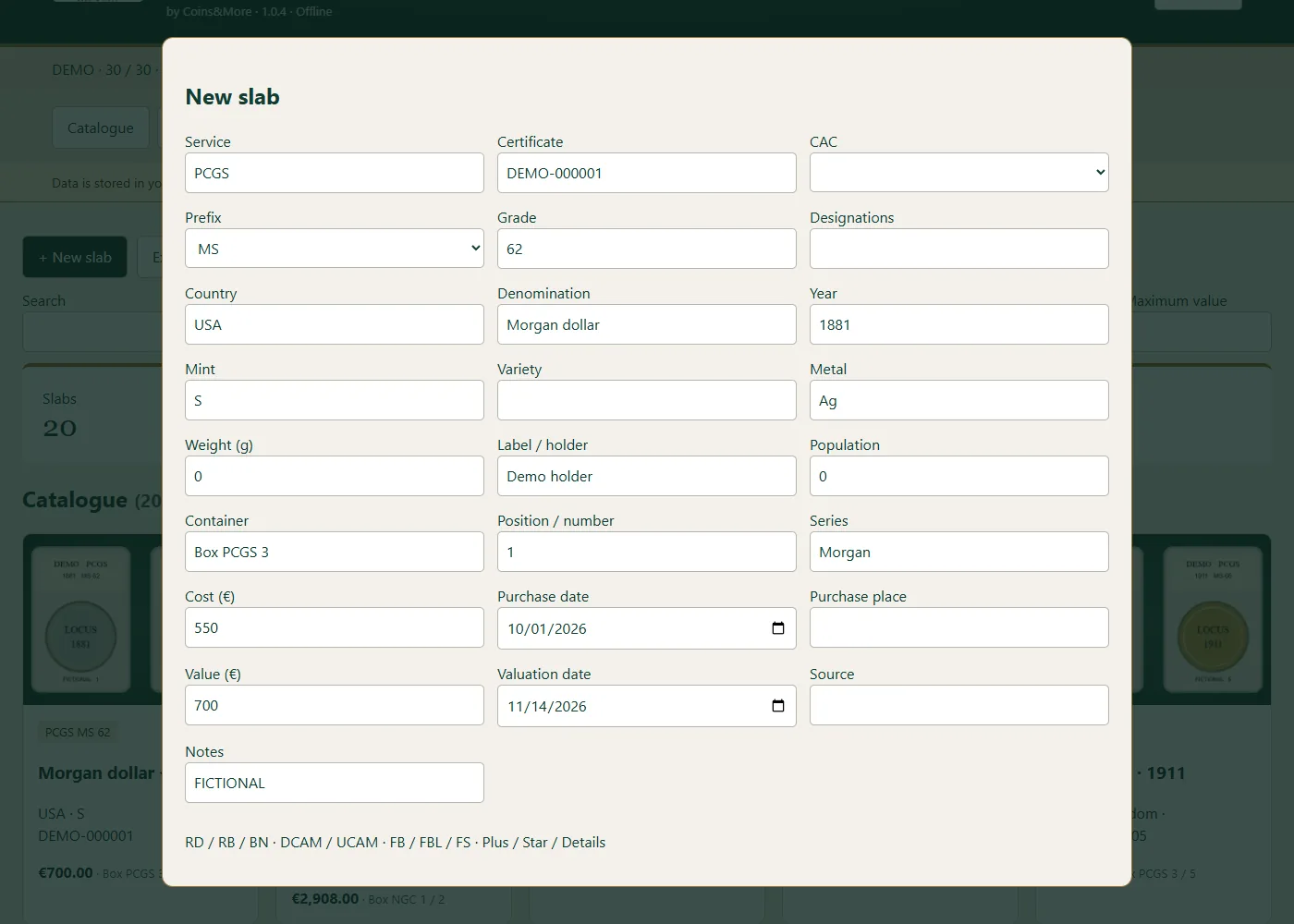
Record the grading service and certificate number, the Sheldon grade from 1 to 70 with prefix (MS, PR/PF, SP, AU, XF, VF…) and designations (RD/RB/BN, DCAM/UCAM, FB/FBL/FS, Plus, Star, Details), CAC sticker, country, denomination, year, mint, variety, metal and weight.
Add photos of the front and back of the slab to each record: the program resizes them automatically to keep the archive light.
Follow the values you have recorded over time
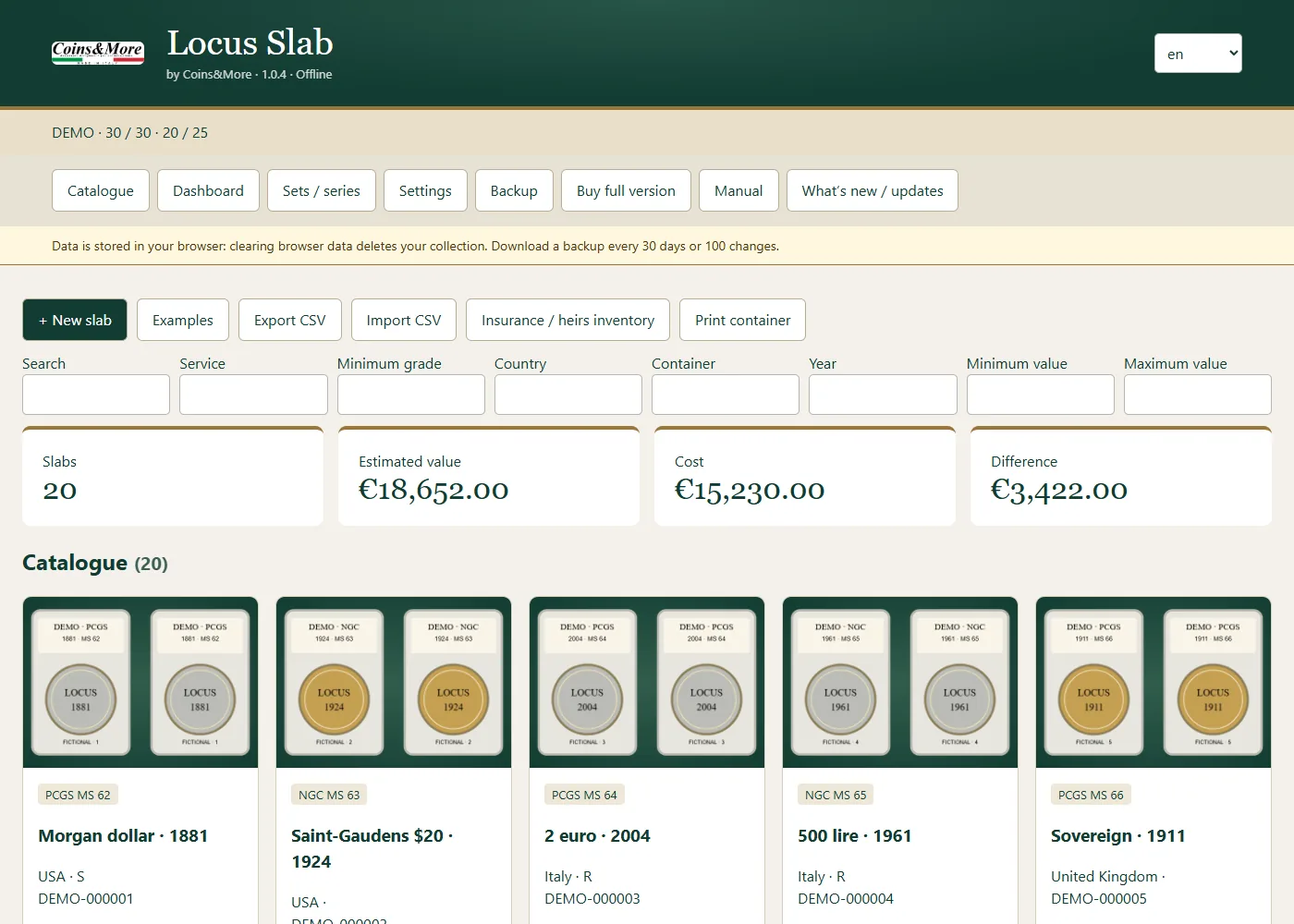
Enter the value of each slab with date and source: the program keeps the history and compares it with the price you paid, showing the gain or loss for each coin and for the whole collection.
You enter the values yourself: Coins&More does not provide appraisals or valuations and does not buy collections.
See missing slabs and find the ones you own
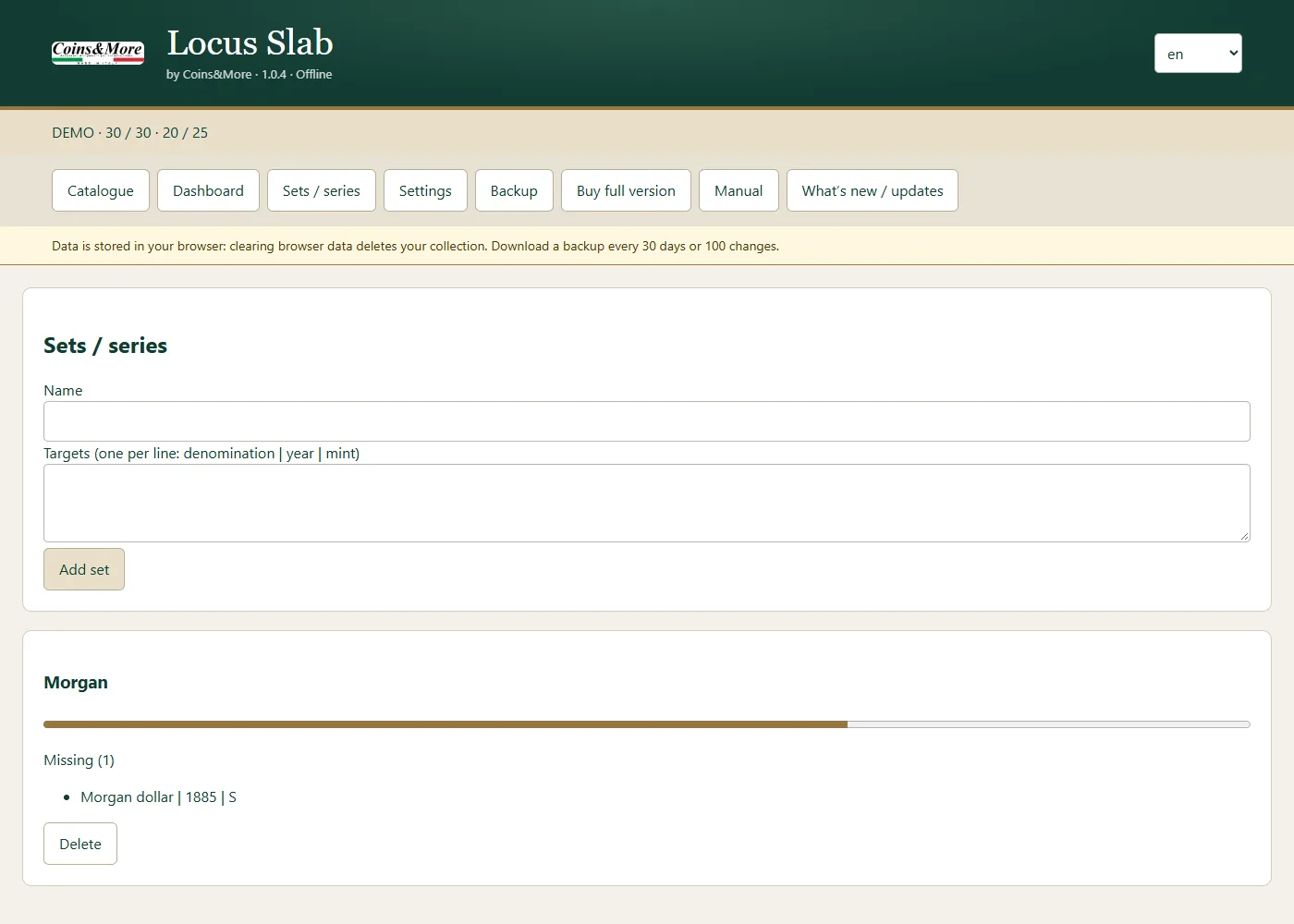
Group your slabs into sets (for example one coin type by year and mint) and see at once which pieces are missing. For each slab you record the container and the spot: box, case, safe-deposit box.
Search and filters by grading service, minimum grade, year, country, container and value find any slab in seconds.
Locus is primarily a physical collection location tracker. Coin Collection Management documents the coin; Locus connects its record to a slot. Locus Slab focuses on certificates, grades and slab containers.
Work comfortably with your data at home
A spreadsheet is flexible and lets you build your own structure. Here you get dedicated fields and ready procedures, search and documents on a large screen. It suits collectors who want to enter and check their information personally. If you prefer camera recognition, automatic prices or daily access on a phone, choose a tool designed around that method.
Try your own collection before buying
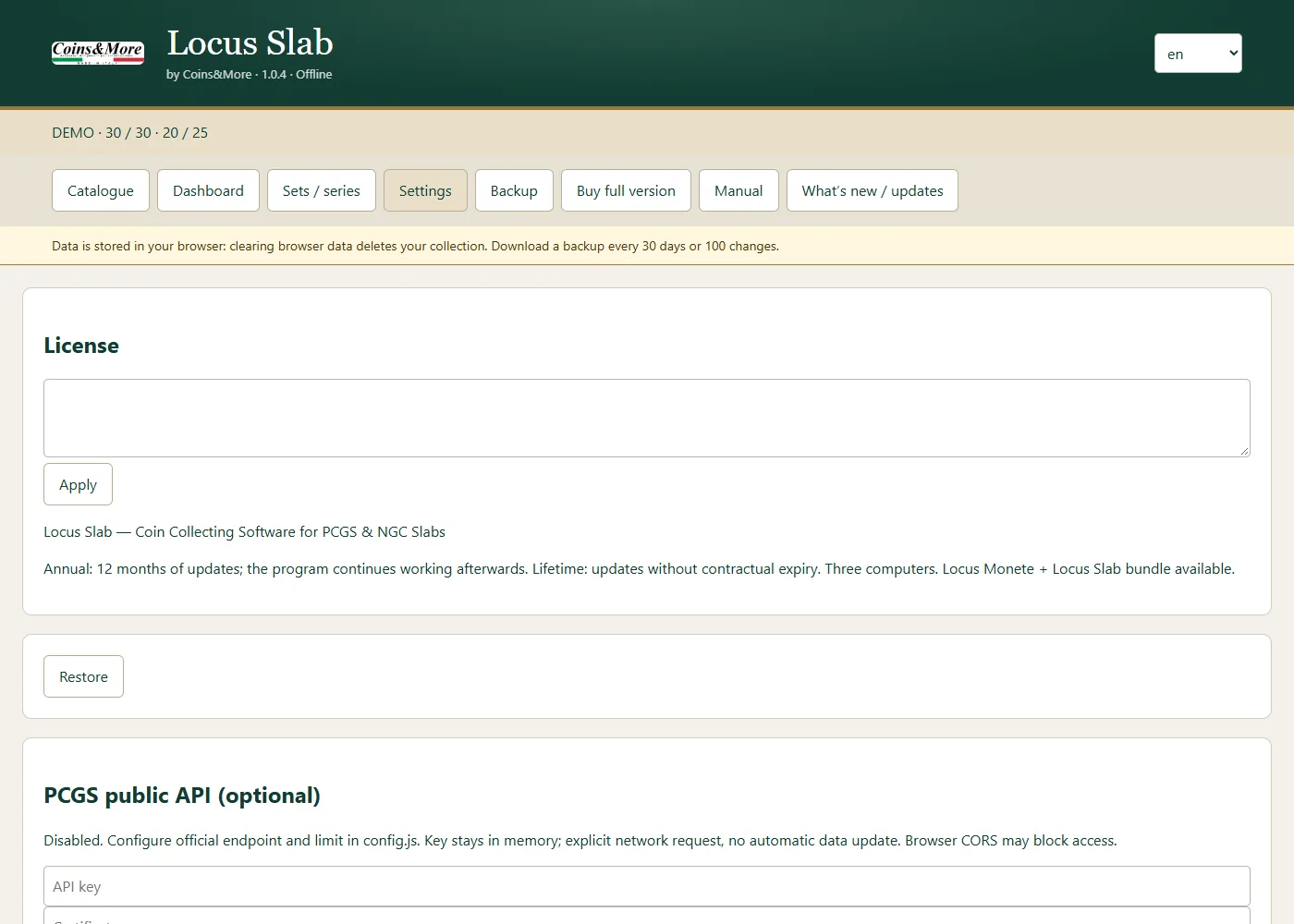
The free demo lasts 30 days from first opening and allows up to 25 slabs. At 25 you can browse existing records but cannot add more. Backup and activation remain available at expiry. Enter the code in Settings to continue in the same catalogue; use Backup and Restore for a new folder.
Open the program and start organising
Download the free demo, extract the complete ZIP and open Locus Slab in Chrome or Edge on your Windows or Mac computer. Keep the extracted files together. The five-language manual guides your first steps.
Take your collection to a new computer
Your Slab collection stays in the browser on your computer. Backup creates a complete file with photos, sets and history: save it wherever you choose, including a USB drive. To change computers, download a current copy and use Restore on the new computer. Save any collection already there first, because restoring replaces it. Make a backup before clearing browser data. CSV exchanges rows; the complete backup transfers your whole collection.
Practical questions before choosing
Does the program verify a PCGS or NGC certificate?
Open the grading service’s certificate page from the record with an Internet connection. Compare the details published by the service with the label on your slab.
Can I document a PCGS or NGC collection offline?
Open the grading service’s certificate page from the record with an Internet connection. Compare the details published by the service with the label on your slab.
How do I organise slab boxes?
Enter Container and Slot / number, then filter the box you need. Print its contents list and return each slab to the location you recorded.
Is it a graded coin spreadsheet alternative?
Yes, if you want dedicated fields. Save spreadsheets as CSV and review mapping and preview: import adds new records without overwriting existing ones.
How do I transfer my slab inventory to a new PC?
Download Backup from the old browser and Restore it on the new one, within the same purchaser’s 3-computer allowance. Your collection lives in the browser: copying the program is not enough.
Does the program stop after 12 months?
The €39.90 licence keeps the purchased program working; its 12 months of updates from the issue date end. The €69.00 lifetime licence includes updates without an annual expiry.
What happens at the demo limit?
You can enter up to 25 slabs for 30 days from first opening. At 25 you cannot add more; at expiry backup and activation remain available.
Does it work on Mac or on a phone?
Yes, it works on Windows and Mac with desktop Chrome or Edge. It is designed for a comfortable large-screen workflow; prepare a PDF to take with you when you want a readable inventory away from home.
Independent product, not affiliated with or endorsed by PCGS, NGC, ANACS, ICG or CAC. The names of these services are trademarks of their respective owners and are mentioned only to indicate compatibility.
Withdrawal, warranty and terms
At checkout you consent to immediate digital delivery after payment and acknowledge loss of the 14-day withdrawal right under Article 59(1)(o) of the Italian Consumer Code, confirmed by order email. Statutory conformity guarantees and consumer rights remain. Full terms and licence appear at checkout, in the email and in the package.
Other Coins&More programs
- Coin Collection Manager — describe coins in dedicated records.
- C&M Locus — Privato, Plus, Business — find pieces in cabinets and drawers.
- Family Legacy File — leave organised information for relatives.
- C&M Disney Lorcana Card Tracker — sets, missing and graded cards of your Lorcana collection
Seller: Coins&More s.r.l.s., Corso Italia, 142, 66020 San Giovanni Teatino (CH), Italy, VAT no. IT02817920693. Support: info@coinsandmore.it. Coins&More® is a registered trademark. © 2026 Coins&More s.r.l.s. All rights reserved.